The official websites of Indonesian government ministries/agencies often end with .go.id
Secure websites using HTTPS display the icon()
Website addresses starting with https:// are a form of security, indicating that the flow of data and communication between your browser and the website server is encrypted.
Ministry of Immigration and Corrections
Directorate General of Immigration
News
How to Check the Status of Your Indonesian Visa and Stay Permit Application, Quickly and Easily!
Foreign citizens (WNA) who are processing an Indonesian visa or stay permit can easily check the status of their visa or stay permit application independently. The Directorate General of Immigration provides an online facility through the official Immigration website with a user-friendly interface, so the progress of visa or stay permit applications can be monitored periodically from anywhere.
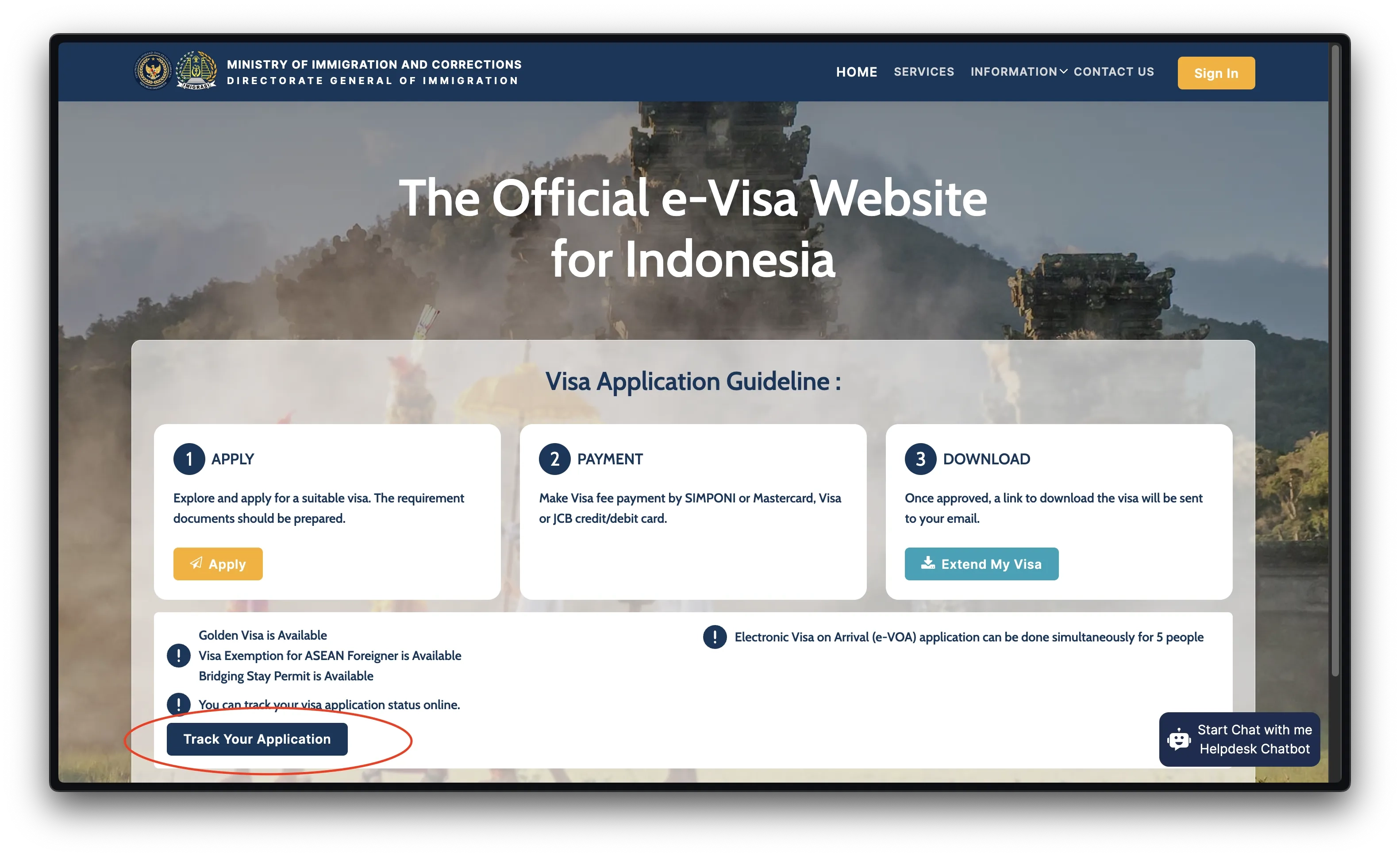
The first step is to access the website evisa.imigrasi.go.id. Once the main page opens, users will find the "Home" menu at the top of the website. On this page, there is an option to track the application status by clicking on the section that says "Track Your Application".
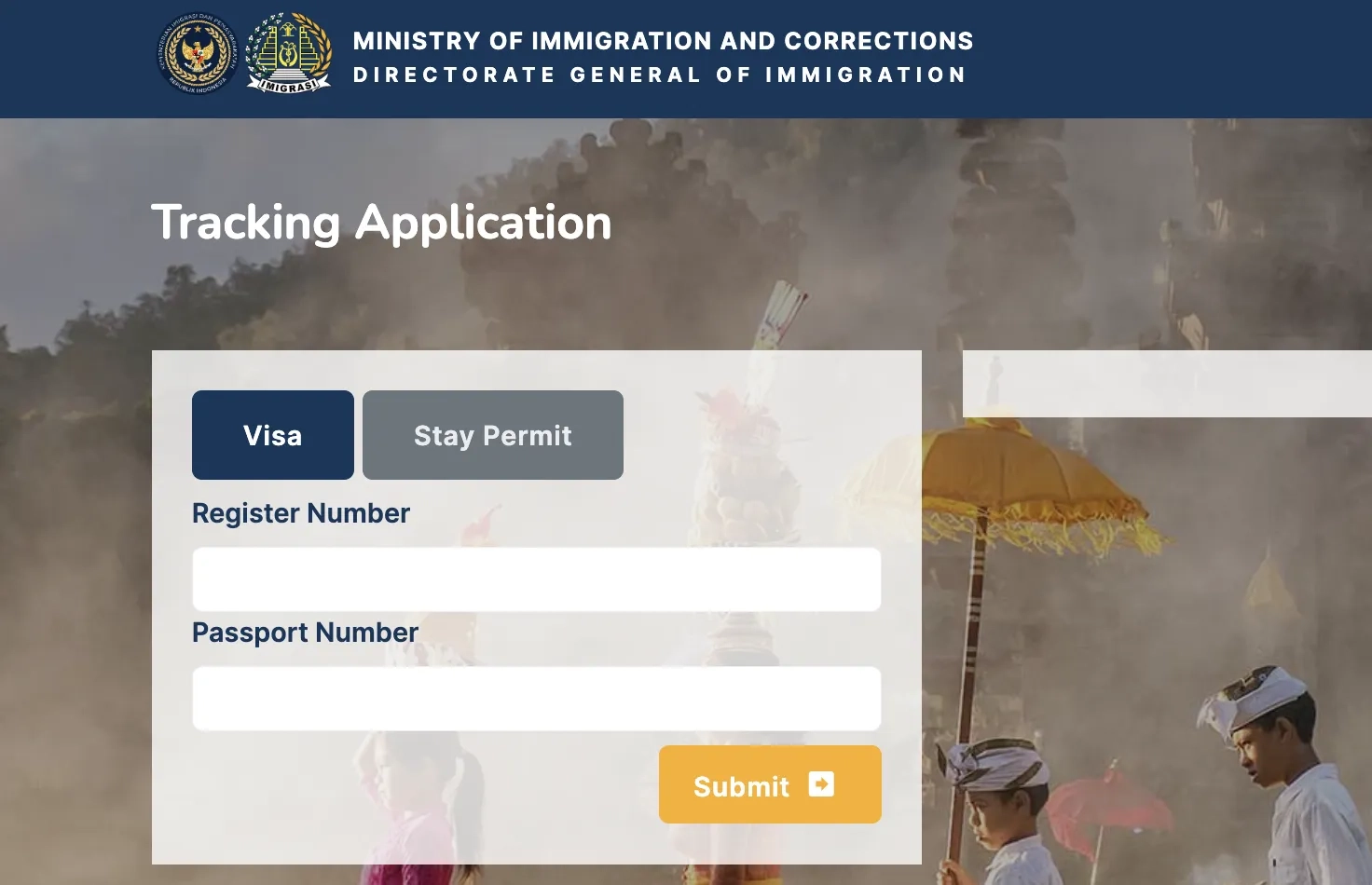
After clicking "Track Your Application", users will be asked to choose the type of service they want to check, whether it is a visa or a stay permit. This selection is very important because the system will adjust the data displayed based on the selected service category. For users who are applying for a visa for the first time, they can click the "Visa" category, while applicants who are applying for an extension - whether it's a visa on arrival, a visit visa, or a limited stay visa - can click the "Stay Permit" category.
Next, users need to enter their "Register Number" and "Passport Number". Both of these data are mandatory as they are the key to accessing specific application information. "It should be noted that the register number is the service number listed to the left of the applicant's name on the website display after filling out the visa or stay permit application form," said the Director of Visas and Travel Documents, Tato Juliadin Hidayawan.
After the data is entered correctly, users simply press the "Submit" button. The system will immediately display the latest status of the visa or stay permit application. The information displayed may include the ongoing process stages, whether the documents are being verified, have been approved, or are still awaiting approval.
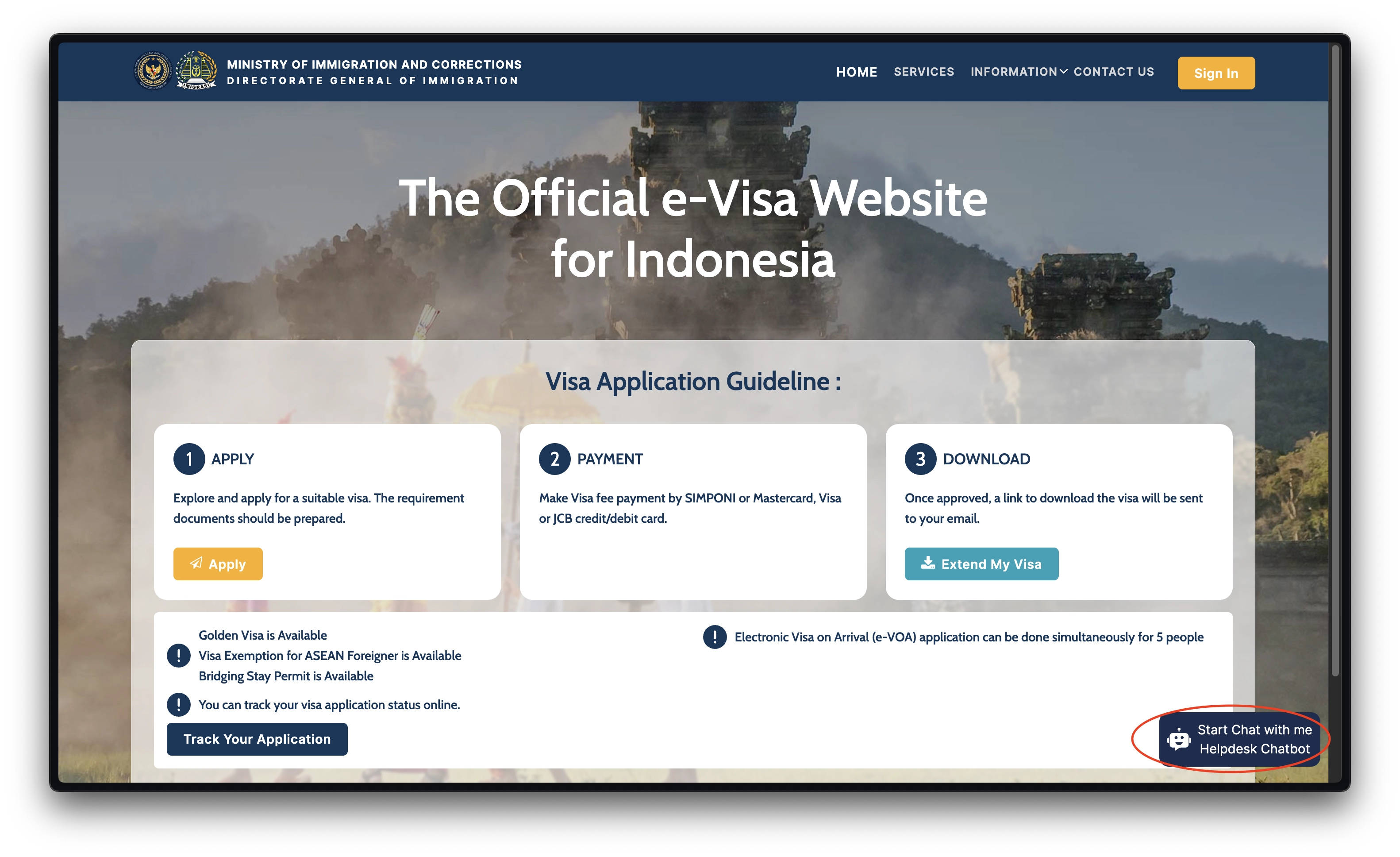
Tato also explained that if there are technical problems when trying to access information, there are several steps that can be taken. "If this happens, users are advised to immediately take a screenshot of the error message that appears. Then, attach the register number, passport number and a brief description of the problem, and send this information to the Immigration Helpdesk located in the lower right corner of the main website page. Users or guarantors must log in first, then enter their username and password to get further assistance," said Tato.
Through this online system, the Directorate General of Immigration hopes to provide convenience, transparency, and efficiency in the immigration service process. "Applicants and guarantors do not need to come directly to the Immigration office just to ask about the status of their application. With just a gadget and the necessary data, the entire process can be monitored in real-time from anywhere," he concluded.